

Input Synchronization
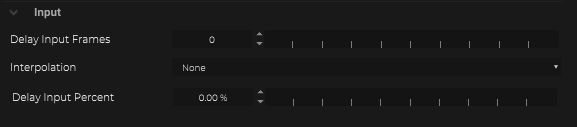
Delay Input frames
Whenever it´s necessary to add full frame delays to the incoming data packages, just increase this value.
Interpolation
Whenever the incoming data packages needs an interpolation. Might be necessary when the protocol fps is not equal with the fps of the Grid Studio project, or to generate subframe interpolations.
None
Subframe
Fixed
Time Based
To learn more about input interpolation see here
Time Inspector

The Time Inspector shows incoming data packages within one frame.

To open the Time Inspector click within the IO on the icon.
The upper lines are showing a history of the timing from the incoming data within a frame.

The lower single line is the average from the received data timing.

When the incoming data framerate is faster then the Grid Studio process time, the Time Inspector will show multiple accumulations.

If the incoming data frame rate is slower then the Grid Studio process time, a blue drop Indicator will be drawed per missing data package.

If the timing of incoming packages is neither constant and doesn´t match the frame rate, the Time Inspector will be looked similar like this.

Delay Input Percent
To shift the incoming data packages within a frame to place these perfectly into the Grid Studio calculation.
In a case that the incoming data framerate is matching, but the packages are coming in exactly between the frame end and the frame start, it´s possible to shift the incoming packages slightly within the frame to match perfectly the Grid Studio frame.


After defining the offset the packages are fitting perfectly within the frame.

Last updated